 SpannerGames
 MarchingBlocks
Features
Everything on this page works today, in version 1.0.0, on Windows. What is planned is called planned, on the roadmap.
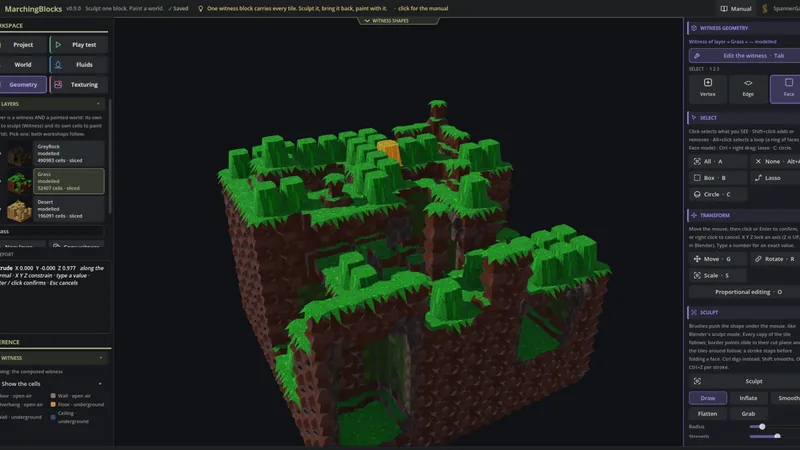
The witness: one block, every tile
You shape one block, the witness, and the software cuts from it the 52 tiles a world needs. Then you paint cells, and the right tile appears in each place, turned the right way, joints included. The tests prove not one tile is missing.
- Linked copies — every place the witness shows a tile is a linked copy of it: sculpt one, all follow, live.
- Shared borders — a vertex on a tile's border moves with every neighbouring tile, in every layer. The witness cannot open a crack; a gesture stops before a face folds.
- Variants — up to nine sculptures for a tile that repeats a lot, mixed by a stable random draw, with weights, or by hand.
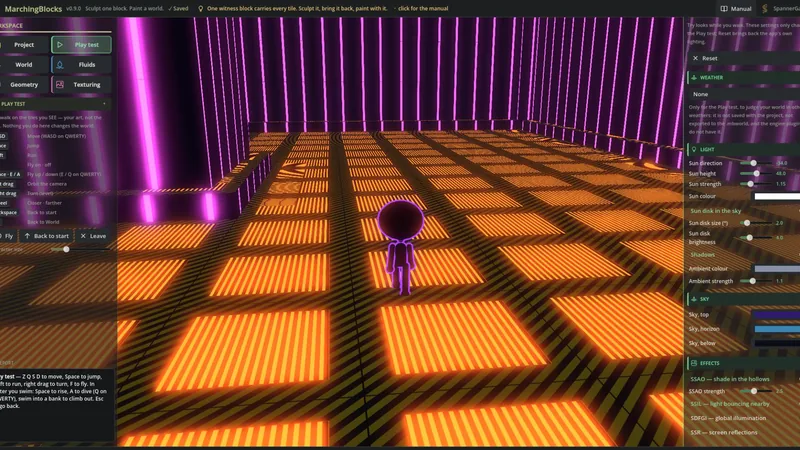
A modeller, texturing and animation inside
- Geometry — Blender's gestures and shortcuts: select, move, rotate, scale, extrude, inset, bevel, loop cut, knife, fill holes, and sculpt brushes (draw, inflate, smooth, flatten, grab).
- Texturing — materials, box or UV projection, a 3D paint brush with paint layers and an eraser, an atlas for unique detail, PBR maps derived from the image (normal, roughness, occlusion), texture sets, emission, base colour baked from the geometry.
- Animation — scroll a map, play frames, make the emission pulse: lava, screens, conveyors. In sync on every copy, or offset per copy.
- The artist round trip — export the witness as one .glb for Blender (linked duplicates), bring it back, and the world takes the new tiles. The painting stays.
Paint the world
- Layers — rock, grass, sand, ice: each layer has its own witness, and where two layers meet the world stays one piece, with no wall at the border. Transitions blend the look of one layer over the other.
- Painting tools — add, dig, select, rectangle and box, brushes from 1 to 7 cells, copy and paste, extrude, widen, hollow, one Ctrl+Z per stroke.
- Special shapes — tunnels, wells, bridges, balconies, stairs and rooms, straight or connecting two places, in round, square or arch profiles.
- Projects save themselves after every change.
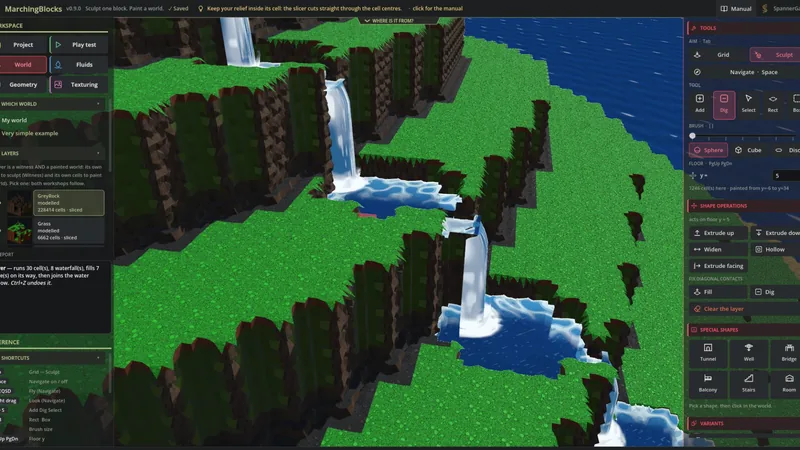
Fluids that follow the world
Click once: a hollow becomes a lake, a slope a river that falls as a waterfall and fills the pools it meets, the open air a sea. Dig a channel, raise a dam, and the water flows again — undo included.
Six looks: stylized, clear, reflective, lava, swamp and glowing acid. In the Play test you swim in them, and a river's current pushes you along.
Foliage and the Play test
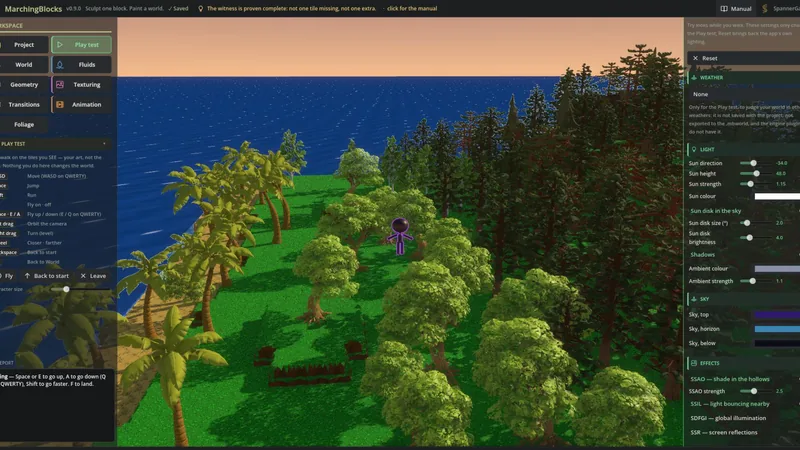
Foliage: import your own .glb trees and plants, plant them one by one or with a brush; they sway in the wind.
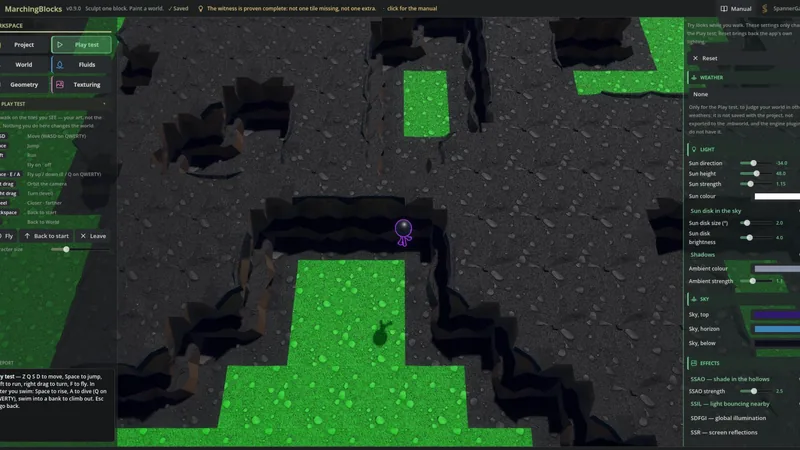
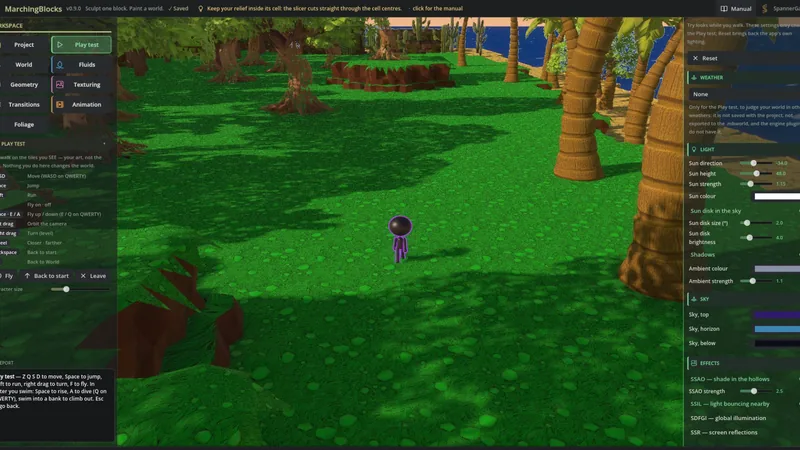
Play test: a character walks, runs, jumps, swims and flies through the world you just painted, under a sun you set, with sky, fog, glow and weather — to judge a level the way a player meets it. A step too high or a tunnel too low shows here first.
Your engine
Export the tileset (.mbset) or the painted world (.mbworld), and the free MarchingBlocks Paint plugins for Godot, Unity and Unreal read it. Paint cells in your engine and the tiles follow, exactly as in the app. What each plugin does today is listed, honestly, on the plugins page.
The format is open, and the plugins are free and MIT-licensed — the tool that makes the tiles is what you buy.
System requirements
| Minimum | Recommended | |
|---|---|---|
| OS | Windows 10 64-bit | Windows 10 or 11 64-bit |
| Processor | 64-bit, 4 cores (SSE4.2) | Intel Core i5-9400F or equivalent (6 cores) |
| Memory | 8 GB RAM | 16 GB RAM |
| Graphics | Vulkan 1.2 card with 2 GB, e.g. GeForce GTX 1050 or Radeon RX 460 | GeForce RTX 2060 (6 GB) or equivalent |
| Storage | 1 GB | 2 GB |
The recommended configuration is the one MarchingBlocks is developed and tested on. Up-to-date graphics drivers with Vulkan support are required; large worlds with many plants need a stronger graphics card.